Showing posts with label russia. Show all posts

Wednesday, November 5, 2014

Yandex.People

This might be a little bit strange post. It's not about the web, it's about people working at Yandex. Yandex is a largest IT company in Russia (some also refer to it as Russian Google). They invited me to visit their YaC conference this year to talk about accessibility and the web. I was curious about Yandex and I was interested in update of the accessibility in Russia so I decided to go.

The YaC conference itself was surprisingly short, one day long. Otherwise it looked very much the same as any other IT conference I visited. Maybe it felt a bit overcrowded, about 1500 people, long lines to coffee tables and some manoeuvres to avoid collisions with other people on your way. But that must be quite in Moscow spirit, a much overcrowded city.

I visited the front-end section on the conference. Front-end developers are guys who create accessibility use cases and I had a chance to learn something new. Also I was supposed to participate in panel discussion scheduled at the end of the section. Some talks were interesting, I have a rare chance to look at things from "other" side (after all I'm the browser guy), but some talks were rather strange. For example, one speaker said that the web standards development in Netscape times looked the following way:


I know few persons from Netscape times and no one of them looked that way so I'm sort of skeptic on the statement made. These talks didn't have any time reserved for questions so I was left behind with my comments. Yeah, I have a chance to say it here :)

Next day Yandex invited me to visit their office to give a talk about accessibility. I didn't have a good idea what kind of audience I will talk to so I planned a general talk. I talked about accessibility, desktop, mobile, web, about technologies and future, and I've got a bunch of interesting questions. I've been told that over one hundred persons participated (on-site and off-site) and that was exiting, partially because I didn't really expect the expressed interest.

Russia has WCAG based recommendations but afaik there's no laws that would force business to develop accessible solutions. I realize that Russia is very dynamic country and tomorrow you can get a new law requiring you to make your apps and services accessible but I don't think that's the case. I would guess there are some social stuff like earning kudos making the whole point but I didn't get any evidence of that. They might be targeting to new markets or this is some cultural feature. But they didn't show me their secret labs where they grow up the accessibility awareness so I failed to identify the reasons :)

Anyway, people at Yandex are interested in accessibility as matter of the fact and they know much more about accessibility I could guess, for example, they know well a11y tricks how to make web stuff accessible. But - and that was my impression - they are ready to learn and use any accessibility technology/standard but they are still behind in participation in creation and development of it. You have to share your ideas and thoughts, otherwise your voice is lost.

(Probably out of context but still representative example). I had a chat with one Yandex guy, I said:
- Guys, you do create the web.
- No, we don't.
- But you created so many cool web services, you have so many users.
- (skeptically) Ok, maybe runet.

So yeah, I think they should chime in into accessibility world more, after all they create the use case and that's where accessibility grows up from.

Wednesday, July 18, 2012

Crimea trip

This summer we decided to make a trip along Crimean coast starting from Feodosiya and finishing at Yevpatoriya. Crimea is a beautiful place having long and rich history.

Most of pictures are made by mobile phone so they aren't really good but I hope they don't ruin the impression.

To Crimea


I booked the flight to Simferopol with layover in Saint-Petersburg by Rossiya Airlines. When we arrived to Sain-Petersbug early morning then we were surprised that our connection flight was moved to the evening. We were forced to pick up all our luggage and then we moved to Rossiya Airlines office. They said they don't have any idea why they didn't contacted us about this change. Also they said they are sorry but they cannot help us: no left luggage service, no food etc.

We moved to the center of Saint-Petersburg and took a trip on Saint-Petersburg canals. It was rainy, we were tired but Saint-Petersburg was great.

Feodosiya


Nothing really exciting about Feodosiya. A long coquina beaches around Feodosiya, a lot of sea. There are some old buildings, nice seafront and Aivazovskiy museum. A nice place as family resort.

Noviy Svet


Then we moved to Noviy Svet. This is a place I can love. Juniper forest, mountains and the sea. We lived near of the juniper forest and walked there everyday.

Juniper forest

Hurzuf


After that we moved to Hurzuf. Hurzuf is a nice place as well: narrow and winding streets going up and down, Checkov's dacha.


We stayed in the hotel located in Artek - well known USSR pioneer camp. Artek has huge territory over 200 hectares (over 500 acres) and no doubts it's one of beautiful places I've ever seen.


Before Artek the Russian resort named SuukSu was located here.


There are Aldary here - two rocks in the sea. There's a Pushkin crag, they said he liked to visit these places.


Chaliapin wanted to build there Palace of Arts but failed to do that because of revolution.


The label says: "In Crimea in SuukSu there's a crag named Pushkin. I decided to build there a Castle of Arts. I told myself: kings and knights had castles. Why wouldn't artists had a castle? F. I. Chaliapin."

Nikita


We visited Nikitskiy Botanical Garden. It's small (couple hours is enough to walk it) but very very nice.


Chatyr-Dag


We visited amazing Emine-Bair-Khosar and Marble caves in Chatyr-Dag mountain.


Alupka


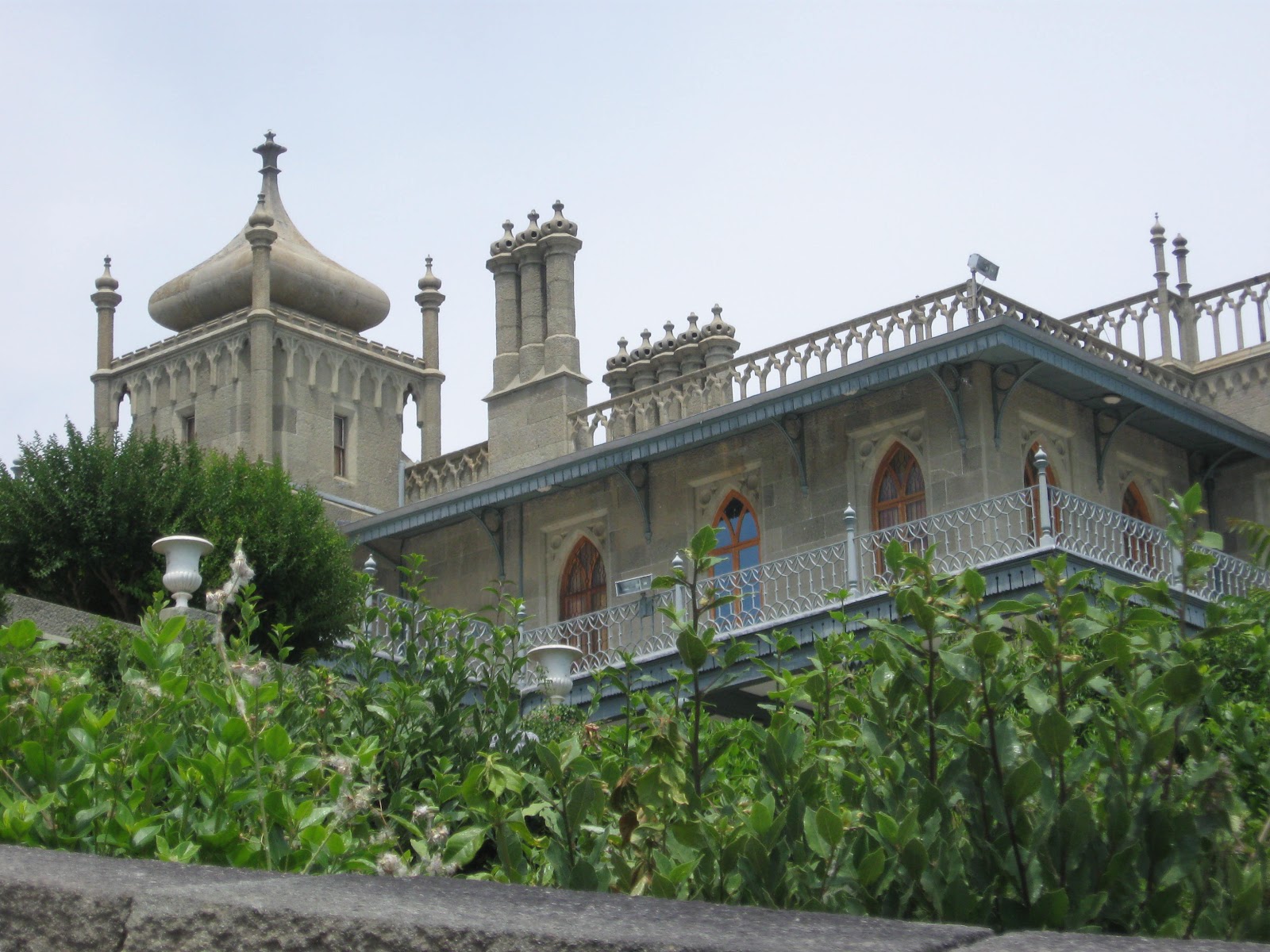
Then we moved to Alupka. Alupka is Vorontsov Palace and Vorontsov Park. Park is nice, palace is majestic. Rest of Alpuka didn't make any impression.


Big Yalta


Around Yalta (referred as Big Yalta) there are a lot of attractions including Vorontsov Palace in Alupka I mentioned above. We visited some of them.

Ai-Petri is a mountain and there's Gondola lift there. A flat plateau on the top, couple caves, a lot of restaurants of eastern cuisine and amazing view.


The Swallow Nest in Gaspra, a tiny palace over the cliff. Nowdays it's museum.


Yusupov palace is resort of Ukraine government nowdays but it's open for tourists occasionally.


The Livadia Palace of Nicolas II, Russian tsar.


The Massandra Palace, a country house of Alexander III, Russian tsar.


Sevastopol


Then we moved to Sevastopol. Sevastopol is hero city, participant of two wars: Crimean War and World War II. It has large amount of monuments and very handsome.


The Panorama Museum (The Heroic Defence of Sevastopol during the Crimean War).


The Monument to the Scuttled Ships. 


There's ancient Greek city named Chersonesos.


Frunze


Then we moved to Frunze, village near of the Saki city, a medicinal resort. Frunze is the sea and pebble beach, nothing else. Pretty quite. 

Few hours we spent walking in Saki. It's ashore the Saki lake known because of its medical mud. There's lot of people using wheelchairs there.


Yevpatoriya


And finally we moved to Yevpatoriya. It has long sand beaches and nice downtown. A good place for children.


Tarkhankut


Tarkhankut is one of beautiful place of Crimea: cliffs, caves, tunnels and diving of course.


Getting back


Rossiya Airlines surprised us one more time when were heading up home. They moved our initial flight from Simferopol right after our connection flight from Saint-Petersburg. So we spend couple days in Saint-Petersburg waiting for the next flight. The good thing they paid for the hotel and food.

We visited Petergof Palace and Leningradskiy Zoopark next day.


So if you wanna take a look at Saint-Petersburg then please choose Rossiya Airlines. It's really amazing city.

Wednesday, February 29, 2012

How I booked the flight or the curse of cancel button

Recently I booked the flight for me and my family. After some search I stopped at Rossiya airlines (Saint-Petersburg's airlines). It was new airlines for me but they offered the best option.

So I started booking and somewhere in the middle I decided to use another bank card. I pressed cancel button (instead the pay button) and it says the payment failed. No option to retry.

I tried to dial the call-center of Rossiya airlines, several times, but no any luck to ring till the bell is answered. So I wrote them email and in few minutes I got an answer:
Unfortunately you can't pay by bank card online if you rejected to do that once. But you can pay in our office, choose another payment type or book another flight.
Sure I tried to book the flight again but the price surprised me. It wasn't the best option anymore. So I decided to pay existing one and since another payment type usually assumes a noticeable fee then I said:
Ok. What is address of your office in my city.
They said:
Unfortunately we don't have offices in your city. You can try to pay by VTB-24 ATM or in VTB-24 bank office.
I asked about the fee. They said no fee. Ok, nice.

I located VTB-24 ATM near of my house and tried to pay. When I typed the payment info then the ATM said that it can't process this request. I thought maybe VTB-24 ATM can vary, thus I checked Rossiya airlines web site which ATM can be used to make this payment. Next day I tried another VTB-24 ATM. This time when I specified all payment info it said "the feature is not implemented". The farther into the forest the thicker the trees I thought.

So I came to the office of VTB-24 bank to make a payment. They said I can't pay by my bank card. Of course if that was a bank card of their bank then I could do that but otherwise they can't help me and they need a cash. So I moved to ATM of my bank and got that cache, got back to that office and oh happiness I did that.

Say me what a heck I pressed that cancel button.

Monday, November 21, 2011

Random thoughts

They replaced children's playground by parking lots near of my house. Children don't play soccer, volleyball or tennis anymore. They've got some free time and they can spend it for something else. But don't worry, sooner or later children will grow up and they will buy cars too.

Рядом с моим домом убрали детскую площадку, заменили на автомобильную парковку. Детям негде играть в футбол, волейбол или тенис. У них появилось свободное время, чтобы потратить его на что-нибудь еще. Но не стоит переживать, рано или поздно дети вырастут и у них тоже будут машины.

Tuesday, May 3, 2011

Travel passport online in Russia!

Finally they saved us from standing in long lines and millions of forms fillings when you need to get social services from government. Now you can fill up millions of forms online. Yep, that's great. My travel passport gets expired soon so I decided to obtain a new one online.

I went to gosuslugi.ru where I were asked to sign up. I entered my ID number (well, it's not ID in terms of USA but close at some precision) and they said they will send me activation number by post mail. "Ok" - I thought and after couple weeks I've got a letter with activation number.

Then I activated my account. It was tabbed UI.  First tab "enter ID and activation numbers". Second tab "pick up a password". Third tab: "you see a message that account is activated". So due to some reason they skipped a second tab. They said my account was activated and now I can use it. "Ok" - I thought and tried to use it with empty password. That didn't work. Fortunately, they allowed me to pick up new passport after usual procedure with confirmation by email. "Ok, great" - I thought - "let's move further".

I was ready to fill up the form to request a new travel passport. That was a big form, yep, really big form. I should point who I am, my birthplace, my existing passports, all my jobs and etc, shortly speaking all my biography.

That was a bit unusual UI. I need to choose where I want to pick up the passport when it's ready. You can imagine how Russia is big and how many places to pick up the passport it could have. These options weren't sorted by cities. I listed them one by one looking for a proper one. My wife suggested to start from the end (she had experience to get the travel passport online, well, she didn't get yet) and - oh happiness - my option was in first dozen of options from the end.

I'm not sure why but my browser shows enabled and disabled controls on this web page the same way (I assume that's page styling). The required control elements are marked by red asterisk, this applied to enabled and disabled controls both. Usually when you choose a value in combobox then some controls gets enabled or disabled. So what I did? I clicked any form control to make sure I don't miss anything important.

What UI control would I use if I need to ask a question with answers "yes" or "no". First of all I think of checkboxes. These guys decided to use comboboxes with three options: yes, no and empty (default). I guess they did this because they wanted to make sure the user chooses something and don't skip the question by mistake. Well, this point makes sense but obviously it's not user friendly.

Every region in Russia has a number. So, Irkutsk where I'm located is 38. How many people knows this number and how many people think about the number where they are asked about their region? I'm pretty sure if you have a car then you know the number (because the car number contains a region number). But I'm not sure your answer would be 38 if you were asked about the region you are located. What do I say this for? They have a combobox with options like "38 - Irkutsk region". What do I do when I want to choose my region from list of options? I focus it and start typing "Irk" and etc and expect that I choose the Irkutsk region. Yep, that doesn't happen because they used numbers as prefixes. I run through all options and find a needed one and only then I understand what all these number mean and why I wasn't able to find Irkutsk by typing.

Ok, let's move next. I was asked to point all jobs I had (period, company name, job title, address). They provided a button "add item", by clicking it the new row appears and you can describe next job. They provide neither button "remove item" nor UI to change items order. But I was lucky and typed everything correct.

Finally I reached the form end. I didn't attached my picture yet but clicked on checkbox "Sign the form", I guess that should be similar to the statement "all information I pointed above is true".  But to all appearances it wasn't right guess because I've got an alert message saying that I can sign the form in Internet Explorer browser 6.0 or higher only. I'm Firefox user. I'm Mac user. I don't have IE. I hung for a couple minutes thinking in pretty warm way of site developers. And then I saw the last-hope button "save the form on your computer", I clicked it. The form was cleared and I didn't noticed anything else. Firefox downloads dialog doesn't have anything downloaded. Downloads folder is empty.

I think it's too much for me to repeat these steps today if I find IE 6.0 or higher. I'll fill up the form next time.