Wednesday, October 17, 2012

Raiffeizen strikes back

It's a second time when Raiffeizen leaves me without money for a week. I have a bank card in Raiffeizen, an European bank. When card expires then they issue a new one but before they deliver it to me they block my existing card. They said they take care of safety of my funds and I guess I can't disagree with them: when I can't spend my money then money are safe.

They said they keep new card blocked until it's delivered to me. Also they said the new and current card have identical numbers and therefore they don't differentiate them. That's why my existing card is blocked too.

Of course they are so friendly so that they agree to unblock my card for one transaction if I stay on phone line. Say if I need to buy something and I wait in line in the supermarket then I need to call them, maybe wait for 15 minutes before they answer to me and ask them to unblock my card and greetings I can do a payment. It's also funny that I need to identify myself answering all secret questions and I need to do that when I'm surrounded by people.

They really drives me mad.

Вот уже второй раз когда Райффайзен подкладывает мне свинью, блокируя мою карту. Когда срок действия карты истекает, они выпускают новую, но пока новая карта не передана мне в руки, они блокируют мою действующую карту. Они говорят, что беспокоятся о сохранности моих средств, и я не могу не согласиться с ними: если я не могу потратить денег, то они защищены надежно. От меня, конечно.

Сказали, что новая карта заблокирована пока я ее не получил. Но потому как новая и старая карты имеют одинаковые номера и они их в действительности не различают, то моя действующая карта тоже заблокирована.

Конечно, они идут навстречу и позволяют мне разблокировать мою карту на одну транзакцию, пока я остаюсь на телефонной линии. Скажем, мне понадобилось что-нибудь купить и я стою в очереди на кассу в супермаркете. Мне нужно позвонить им, возможно подождать минут 15 пока они ответят и попросить их разблокировать карту. И - вуаля - я могу совершить покупку. Забавно еще то, что мне необходимо, конечно, идентифицировать себя, отвечая всякие секретные вопросы, пока я стою в очереди, окруженный людьми.

Они действительно издеваются.

Thursday, October 11, 2012

Firefox 16 - 18: what's new for AT developers

This summer wasn't super plenteous for features interesting for assistive technology developers. Firefox 17 was nearly barren in this sense. Thus here's a list of changes introduced in Firefox 16, Firefox 17 and Firefox 18.

ARIA

(Firefox 16) ARIA documents are now subject of document loaded event. If the author does something like:

  <div id="dialog" role="dialog" style="display: none;">A message</div>
  document.getElementById("dialog").style.display = "block";

then LOAD_COMPLETE event is fired after the dialog appears (refer to document handling in Firefox for details).

(Firefox 17) We sorted out stuff related with vertical and horizontal states.  Previously we could expose these states on the same accessible the same time regardless the value of aria-orientation attribute or expose them on elements that orientation is not applied to. Also ARIA role="scrollbar" got vertical state as default value.

(Firefox 18) If ARIA grid contains role="rowgroup" then IAccessibleTable interface went crazy, i.e. row/col/cell indexes coherence was broken.

(Firefox 18) aria-activedescendant behavior was corrected a bit. We have supported the case the spec says about: "Authors MAY use the aria-activedescendant attribute on the focused descendant of a composite widget; for example, on a textbox descendant of a combo box." This is an example these words are applicable to.

  <div id="combobox" role="combobox">
    <input id="combobox_entry" />
    <ul>
      <li id="combobox_option1" role="option">option1</li>
      <li id="combobox_option2" role="option">option2</li>
    </ul>
  </div>

If the input has DOM focus and the author changes the aria-activedescendant attribute on combobox element to point a combobox option then that combobox option gets the focus.

(Firefox 18) If ARIA role="presentation" is used on the element having ARIA global attributes or referred by ARIA relation then role="presentation" is ignored as it wasn't there. The behavior is similar if the element is focusable.

HTML

(Firefox 16) HTML5 article element is a subject of 'article' xml-roles object attribute.

Also we fixed few edge cases. Btw, they all were caught in the wild.

(Firefox 18) We didn't create a listitem accessible for HTML li element in some cases like:

  <ul id="list7">
    <li id="l7_li1" style="display:inline-block;">Oranges</li>
    <li id="l7_li2" style="display:inline; float: right;">Apples</li>
  </ul>


(Firefox 18) Table related styles used outside the table context prevented to create a correct accessible. For example,

  <h1 style="display: table-cell;">a header</h1>

didn't have a heading accessible.

States

(Firefox 18) Finally we sorted out invisible/offscreen states and the implementation corresponds to what I wrote before.

(Firefox 18) Some offscreen accessible didn't expose the offscreen state. You could see this bug at ai squared site.

Text attributes

(Firefox 16) auto-generated text attribute is supported now (refer to IAccessible2 spec). It's get exposed for auto generated CSS content (:after and :before pseudo elements) and HTML list bullets. Note, we don't expose the auto-generated object attribute anymore.

XPCOM

(Firefox 16) defaultKeyBinding attribute and getKeyBindings method of nsIAccessible interface was replaced on single accessKey attribute. Gecko always exposed either an access key (alt + letter) and/or keyboard shortcut (ctrl + letter). An ability to return many keybindings was never used.

Monday, October 8, 2012

Debugging the Firefox accessibility

Firefox 18 got a logging system that allows you to analyze accessibility related problems and bugs. It's used to debug the real life examples like web pages where thousands of things happen every second and you don't have any clue what's going wrong there. If you ever debugged a focus issue on the web then I think you agree the logging is something very helpful on this way. On the other hand logging is a great thing to understand the problem you can't reproduce (reliably).

I didn't tried the system in case when the bug reporter is unique person who can see a problem but it works quite well for analysis of automated tests intermittent failures. The difference is the test suite has own logging capabilities and it writes down every step so that you can find out where the test was stumbled. Having these logs enabled both you can see what action was performed and what happened after.

Here's couple examples how to use logging to understand the intermittent failure.


Test suite logging


Almost every accessibility related test is based on events watching, i.e. we wait for certain event before starting the next test. It's all caused by async nature of accessibility implementation in Gecko.

You can start logging by setting gA11yEventDumpToConsole variable to true. A log looks like:

registered: event type: document load complete,
  target: tabDocumentAt, arg: 0
registered: event type: document load complete,
  target: tabDocumentAt, arg: 1

Event queue:
  invoke: relations of tabs

Event type: document load complete.
  Target: ['document node', address: 0x1e3b4850, role: document,
           name: 'The Book of Mozilla, 11:9', address: 0x112ddd90].
Event type: document load complete.
  Target: ['document node', address: 0x1e3b4448, role: document,
           name: 'About:', address: 0xe253250].

*****
EQ matched: document load complete
*****

7233 ERROR TEST-UNEXPECTED-FAIL |
  accessible/relations/test_tabbrowser.xul |
  Test timed out.

It is a real world example. We wait for two document load events and as you see we receive them but only one is recognized as expected one. The problem here is we wait events in specific order but sometimes we receive them in reverse order. It happens because documents are loaded asynchronously and thus events order varies. The test was fixed.

This was a case when the test suite log gives you enough information to fix a problem. But often you know there's no expected event and that's all you have. Extra info is wanted. In this case the system logging can be helpful.


System logging


The system logging is used to log implementation internals, i.e. it serves to understand what happens under the hood. There's a bunch of modules you can track, for example, 'focus' module logs everything related with accessible focus event processing. Depending on your needs you can enable one or several modules to log. You can do that by setting up the environment variable A11YLOG, for example:

export A11YLOG=focus,tree,DOMEvents;

Alternatively you can manage the logging from java script via nsIAccessibleRetrieval interface:

var accRetrieval =
  Components.classes["@mozilla.org/accessibleRetrieval;1"].
  getService(nsIAccessibleRetrieval);
accRetrieval.setLogging("focus,tree");

Note, you need to have enhanced privileges for that. If you debug a11y automated tests then you can use enableLogging()/disableLogging() helper functions from common.js.

The system logging can be enabled on any debug or nightly build.


An example


Bug 782991 is a good example how to debug intermittent failures. The problem was the following: when link is open in a new window then document load event was missed occasionally. That's all you know. And that means you don't even know whether the window was open or not.

Since it's document loading issue then it's reasonable to enable 'docload' module. A log when test fails:

A11Y DOCLOAD: document loaded; 47:41.689
  {
    DOM id: 17D86000, acc id: 1A9545C0
    uri: chrome://browser/content/browser.xul
  }

A11Y DOCLOAD: document loaded; 47:42.014
  {
    DOM id: 0E337000, acc id: 16C60B80
    uri: http://www.example.com/
  }

A11Y DOCLOAD: document loaded *completely*; 47:42.036
  {
    DOM id: 0E337000, acc id: 16C60B80
    uri: http://www.example.com/
    document acc state: completely loaded
    document is load event target: false
  }

A11Y DOCLOAD: document loaded *completely*; 47:42.048
  {
    DOM id: 17D86000, acc id: 1A9545C0
    uri: chrome://browser/content/browser.xul
    document acc state: completely loaded
    document is load event target: false
  }

As you can see 'example.com' document gets loaded (what means the window was open) but document load event wasn't fired. In practice a log when the test doesn't fail is also helpful to find a problem:

A11Y DOCLOAD: document loaded; 02:50.695
  {
    DOM id: 0x91e97a0, acc id: 0xebaf308
    uri: chrome://browser/content/browser.xul
  }

A11Y DOCLOAD: document loaded *completely*; 02:51.043
  {
    DOM id: 0x91e97a0, acc id: 0xebaf308
    uri: chrome://browser/content/browser.xul
    document acc state: completely loaded
    document is load event target: false
  }

A11Y DOCLOAD: document loaded; 02:51.235
  {
    DOM id: 0xd9732b0, acc id: 0xd11ed40
    uri: http://www.example.com/
  }

A11Y DOCLOAD: document loaded *completely*; 02:51.302
  {
    DOM id: 0xd9732b0, acc id: 0xd11ed40
    uri: http://www.example.com/
    document acc state: completely loaded
    document is load event target: true
  }

A11Y DOCEVENT: handled 'load complete' event; 02:51.302
  {
    DOM id: 0xd9732b0, acc id: 0xd11ed40
    uri: http://www.example.com/
  }

The difference between logs is in order of the document load processing. If the 'example.com' document is processed before a document of the main Firefox window then 'example.com' document isn't considered as a target of document loading events and the test fails. It's enough to understand where the bug is and fix it.

If you look for more examples then check out bugs: bug 745788, bug 708927 and bug 691580.

Wednesday, July 18, 2012

Crimea trip

This summer we decided to make a trip along Crimean coast starting from Feodosiya and finishing at Yevpatoriya. Crimea is a beautiful place having long and rich history.

Most of pictures are made by mobile phone so they aren't really good but I hope they don't ruin the impression.

To Crimea


I booked the flight to Simferopol with layover in Saint-Petersburg by Rossiya Airlines. When we arrived to Sain-Petersbug early morning then we were surprised that our connection flight was moved to the evening. We were forced to pick up all our luggage and then we moved to Rossiya Airlines office. They said they don't have any idea why they didn't contacted us about this change. Also they said they are sorry but they cannot help us: no left luggage service, no food etc.

We moved to the center of Saint-Petersburg and took a trip on Saint-Petersburg canals. It was rainy, we were tired but Saint-Petersburg was great.

Feodosiya


Nothing really exciting about Feodosiya. A long coquina beaches around Feodosiya, a lot of sea. There are some old buildings, nice seafront and Aivazovskiy museum. A nice place as family resort.

Noviy Svet


Then we moved to Noviy Svet. This is a place I can love. Juniper forest, mountains and the sea. We lived near of the juniper forest and walked there everyday.

Juniper forest

Hurzuf


After that we moved to Hurzuf. Hurzuf is a nice place as well: narrow and winding streets going up and down, Checkov's dacha.


We stayed in the hotel located in Artek - well known USSR pioneer camp. Artek has huge territory over 200 hectares (over 500 acres) and no doubts it's one of beautiful places I've ever seen.


Before Artek the Russian resort named SuukSu was located here.


There are Aldary here - two rocks in the sea. There's a Pushkin crag, they said he liked to visit these places.


Chaliapin wanted to build there Palace of Arts but failed to do that because of revolution.


The label says: "In Crimea in SuukSu there's a crag named Pushkin. I decided to build there a Castle of Arts. I told myself: kings and knights had castles. Why wouldn't artists had a castle? F. I. Chaliapin."

Nikita


We visited Nikitskiy Botanical Garden. It's small (couple hours is enough to walk it) but very very nice.


Chatyr-Dag


We visited amazing Emine-Bair-Khosar and Marble caves in Chatyr-Dag mountain.


Alupka


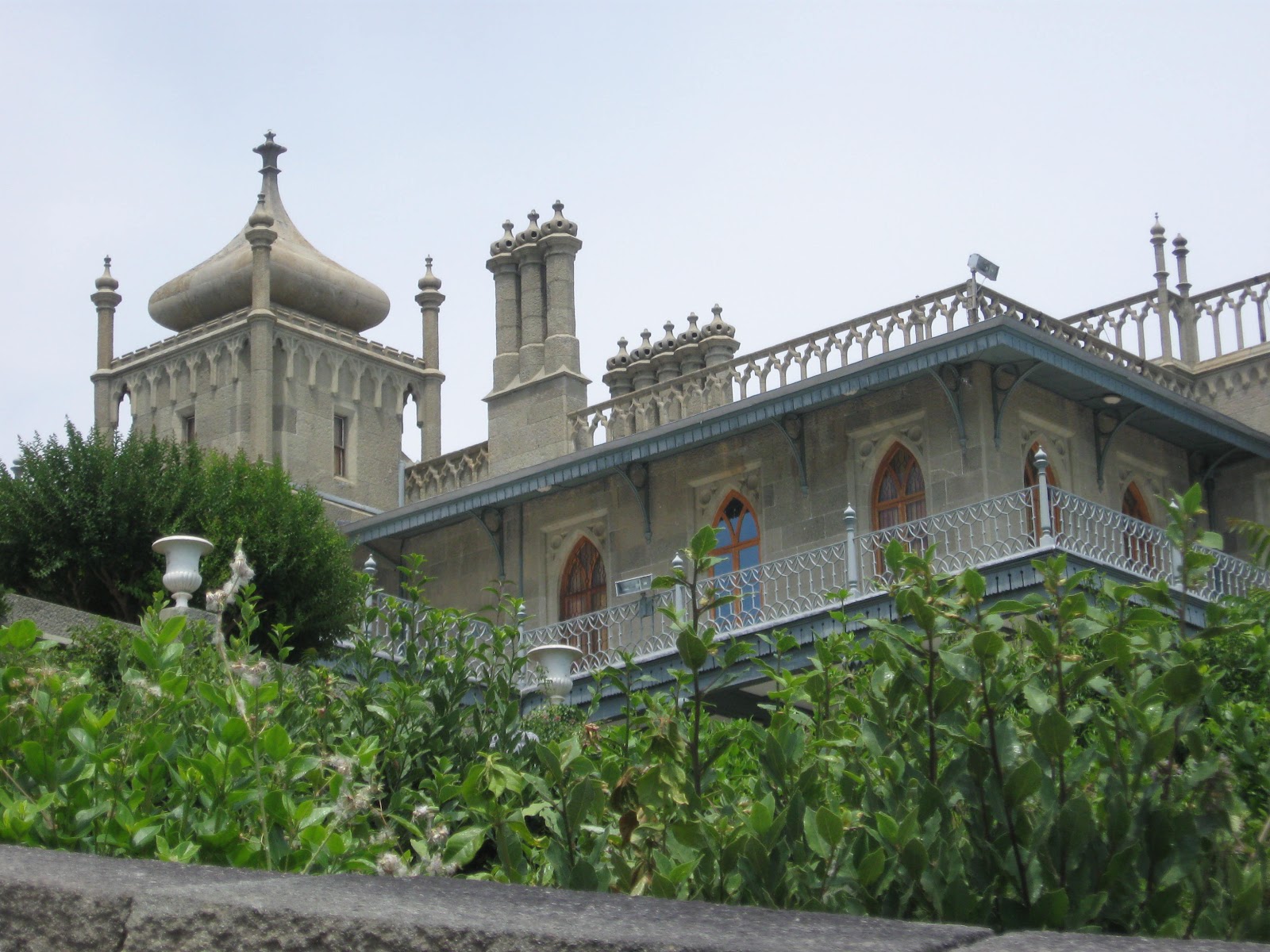
Then we moved to Alupka. Alupka is Vorontsov Palace and Vorontsov Park. Park is nice, palace is majestic. Rest of Alpuka didn't make any impression.


Big Yalta


Around Yalta (referred as Big Yalta) there are a lot of attractions including Vorontsov Palace in Alupka I mentioned above. We visited some of them.

Ai-Petri is a mountain and there's Gondola lift there. A flat plateau on the top, couple caves, a lot of restaurants of eastern cuisine and amazing view.


The Swallow Nest in Gaspra, a tiny palace over the cliff. Nowdays it's museum.


Yusupov palace is resort of Ukraine government nowdays but it's open for tourists occasionally.


The Livadia Palace of Nicolas II, Russian tsar.


The Massandra Palace, a country house of Alexander III, Russian tsar.


Sevastopol


Then we moved to Sevastopol. Sevastopol is hero city, participant of two wars: Crimean War and World War II. It has large amount of monuments and very handsome.


The Panorama Museum (The Heroic Defence of Sevastopol during the Crimean War).


The Monument to the Scuttled Ships. 


There's ancient Greek city named Chersonesos.


Frunze


Then we moved to Frunze, village near of the Saki city, a medicinal resort. Frunze is the sea and pebble beach, nothing else. Pretty quite. 

Few hours we spent walking in Saki. It's ashore the Saki lake known because of its medical mud. There's lot of people using wheelchairs there.


Yevpatoriya


And finally we moved to Yevpatoriya. It has long sand beaches and nice downtown. A good place for children.


Tarkhankut


Tarkhankut is one of beautiful place of Crimea: cliffs, caves, tunnels and diving of course.


Getting back


Rossiya Airlines surprised us one more time when were heading up home. They moved our initial flight from Simferopol right after our connection flight from Saint-Petersburg. So we spend couple days in Saint-Petersburg waiting for the next flight. The good thing they paid for the hotel and food.

We visited Petergof Palace and Leningradskiy Zoopark next day.


So if you wanna take a look at Saint-Petersburg then please choose Rossiya Airlines. It's really amazing city.

Friday, June 8, 2012

UIA implementation in Firefox

We decided to start implementation of UI Automation (UIA) in Firefox. Some reasons of doing this:
  • UIA is considered as electronic curb cut effect. For example, it's used by Windows speech recognition and it's critical part to make your application working properly on Windows 8 Metro.
  • MSAA to UIA bridge is not good from performance perspective, for example, Firefox is getting slow when speech recognition is running.
  • By doing UIA Firefox can support Microsoft Narrator what is a plus.
We are going to make the work by parts starting from IAccessibleEx approach. You can watch our meta bug to follow the progress.

Some parts of UIA differs from IAccessible2 API, for example, text support is based on another concept. Thus it's going to take a while before you can try out something. During the implementation stage we think to keep UIA support disabled by default.

If you are contributor and you would like to help us with UIA implementation then you're welcome. You need to do some extra steps to what I wrote previously.
  • Follow these steps to build Firefox on Windows 8. Note, until the mozilla-build release doesn't contain proper scripts you need to obtain them from mozilla-build repo and copy them into your mozilla-build installation folder.
  • Add 'accessible.uia.enabled' pref and set it to true.
  • Check out this bug list to find a bug to work on.

Firefox 15: what's new for AT developers

Firefox 15 is in aurora channel now. This release doesn't have a lot of features interesting for AT developers. Primarily we were focused on under the hood work. But none the less.

ARIA

As you know some ARIA state and properties are exposed via accessible object attributes. Basically ARIA attribute is mapped to accessible object attribute when there's no proper mapping to accessibility API, for example, in case of aria-sort attribute. As consequence this is applicable for any unknown ARIA attribute. Thus if you have something like:
  <div aria-myownproperty="myvalue"></div>
then Firefox exposes "myownproperty:myvalue" object attribute.

Whenever the ARIA attribute value is changed Firefox should fire IA2_EVENT_OBJECT_ATTRIBUTE_CHANGED event. Prior Firefox 15 the event was missed in some cases.

HTML

The bug when row accessible of the table (ATK_ROLE_LIST_ITEM / ROLE_SYSTEM_ROW) wasn't created for layout tables was fixed. Example:
  <div style="display: table;">
    <div style="display: table-row;">
      <div style="display: table-cell;">cell</div>
    </div>
  </div>
Thanks to Michał Frontczak for this contribution.

Events

The major change that may affect on ATs is we started to fire document loading events on iframe documents. Prior to Firefox 15 they were restricted to tab documents. So if you, for example, change @src attribute on HTML iframe element then it causes LOAD_COMPLETE event on the document accessible loaded into the iframe. The same time if loading document contains sub documents (for example, a tab page containing iframe elements) then there's only one event fired on the document, in other words, document loading events are fired on root of the documents loading chain. Refer here for more information.

Correctness and performance

Finally the list bullet accessible boundaries bug was fixed. Also we fixed a regression that IAccessible2 state defunt wasn't exposed on defunct accessible.

Bunch of performance bugs were fixed. Overall performance was improved. Thanks to Mark Cappela and others for this good work. Also we made accessible states computation noticeable faster. This should make the screen reader user experience a little bit smoother.

XPCOM

A quick update on XPCOM support for those who use it in Firefox add-ons. We introdroduced new roles for HTML definition elements
  • dl element: nsIAccessibleRole.ROLE_DEFINITION_LIST
  • dt element: nsIAccessibleRole.ROLE_TERM
  • dd element: nsIAccessibleRole.ROLE_DEFINITION
Also nsIAccessible.numAction attribute was renamed to nsIAccessible.actionCount for consistence with other interfaces.

Friday, May 11, 2012

Firefox 14: what's new for AT developers

Firefox 14 is in aurora channel and 5 June it's becoming a beta. We did a bunch of improvements and changes in accessibility support.

ARIA

ARIA role="note" is mapped into IA2_ROLE_NOTE role.  ARIA role="form" is mapped to IA2_ROLE_FORM / ATK_ROLE_FORM role. Also xml-roles:note and xml-roles:form object attributes are exposed respectively.

ARIA aria-describedby attribute used on HTML image element and pointing to HTML a element makes the image accessible to expose showlongdesc action. This action opens an URL provided by @href attribute on HTML a element in a new window. Take a look at example:
  <a id="a" href="http://www.mozilla.org">a link</a>
  <img aria-describedby="a" src="mozlizzard.png">

HTML

HTML section element accessible has IA2_ROLE_SECTION / ATK_ROLE_SECTION role and exposes xml-roles:region object attribute what makes it similar to ARIA role="region".

HTML sup and sub elements are exposed as text-position text attribute. Say you have:
  <div>x<sub>i</sub><sup>2</sup></div>
which looks like xi2. In this case you get default text attributes at range (0, 1) for HTML div accessible, text-position:sub at (1, 2) range and text-position:super at (2, 3) range.

HTML button having aria-pressed="true" attribute has IA2_ROLE_TOGGLE_BUTTON / ATK_ROLE_TOGGLE_BUTTON role.

States

Editable text fields always expose IA2_STATE_EDITABLE / ATK_STATE_EDITABLE state not depending on whether text field is readonly or disabled.

Undertemined HTML progress element and ARIA role="progressbar" expose STATE_SYSTEM_INDETERMINATE / ATK_STATE_INDETERMINATE state. Here are examples of indeterminate progressmeters:
  <progress></progress>
  <div aria="progressbar"></div>

Correctness and consistence

Image map accessible tree is properly updated when image map is changed. So whenever you add or remove HTML area element to/from related HTML map or change @name attribute on HTML map the image map accessible picks up the changes.

XUL listbox accessible tree is updated correctly when list items are inserted or removed. The issue affected on Thuderbird UI and Firefox profile manager dialog. I'm happy that finally this problem was fixed.

event-from-input:true object attribute is exposed on event target accessible if it's a child of the focused editable area. In general this is not correct but it's a good approximation to desired behavior. So for example, if value of the focused editable area is changed by script then we still report event-from-input:true and that's wrong of course.

We report the value of tag object attribute in lowercase always. We do that for consistence with other markup languages like XUL, XHTML or SVG. Also tag object attribute is not exposed when it's not applicable, for example, it's not used anymore for bullet accessible of list item. These changes shouldn't introduce problems for ATs but you should be aware of them just in case.

In MSAA/IAccessible2 layer when accessible is defunct then any method called on it returns CO_E_OBJECTNOTCONNECTED now.

XPCOM interfaces

nsIAccessible::innerHTML attribute was removed. It dupes the HTML element interface capabilities so it doesn't make sense to maintain accessibility version of it.

XUL/XBL

ARIA relation attributes used on XBL bound element are allowed to point to XBL anonymous content. You can do:

  <bindings xmlns="http://www.mozilla.org/xbl">
    <binding id="custombutton">
      <content aria-labelledby="button.label" role="button">
        <label xmlns="http://www.w3.org/1999/xhtml" anonid="button.label">
          anon label
        </label>
      </content>
    </binding>
  </bindings>

  <div id="button" style="-moz-binding: url('#custombutton');"></div>

In this case the button accessible picks up the name from anonymous label element.